
From Booking to Billing: Features Every Venue Management Platform Should Offer
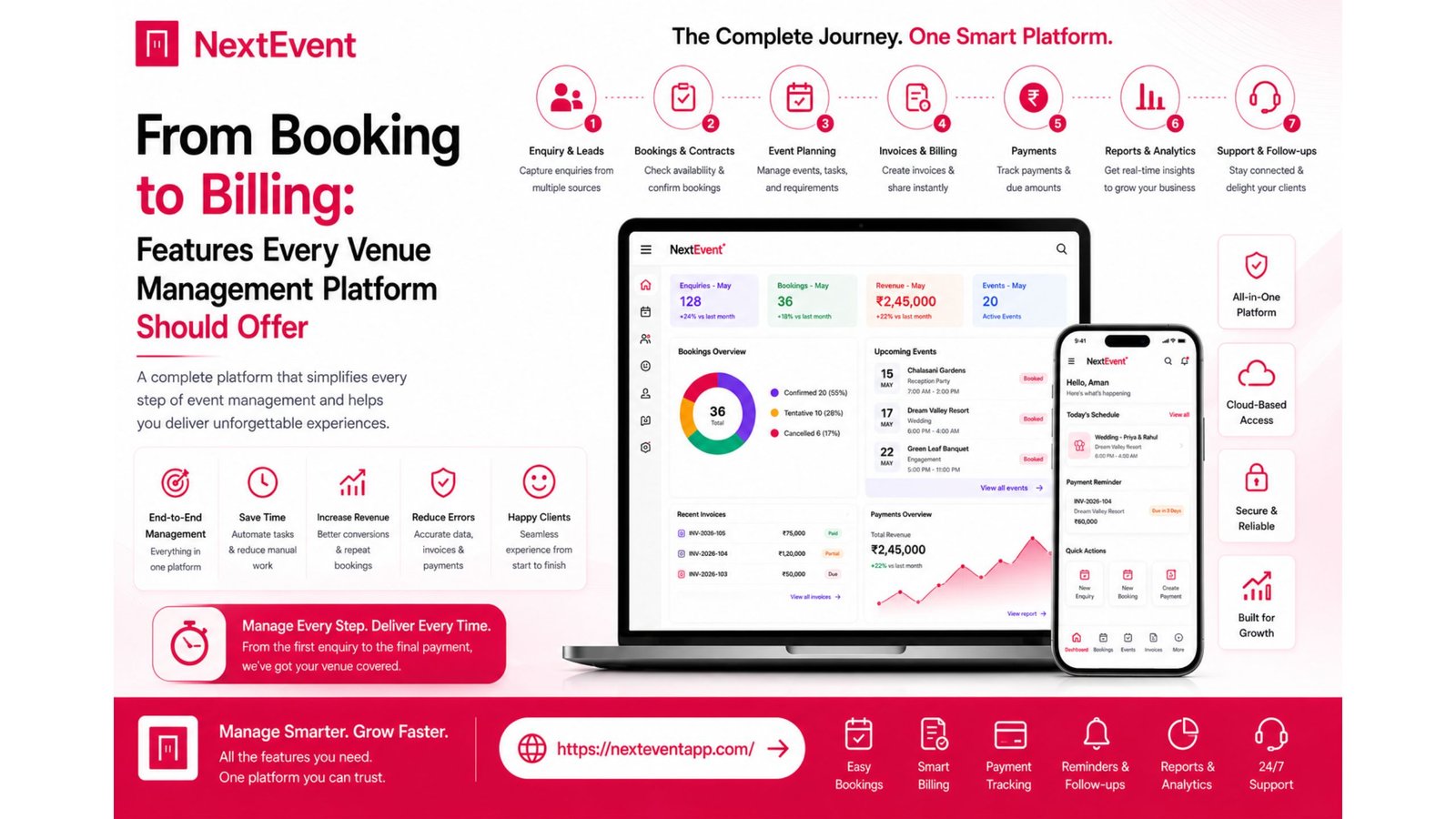
Manage your venue with less work.
For banquet halls, convention centers, wedding lawns, gardens, resorts and function halls.
Managing a successful venue involves much more than accepting bookings. Every event requires coordination between sales teams, event managers, finance departments, and customer support. From the first enquiry to the final invoice, every step should be organized, accurate, and easy to manage.
Modern Venue Management Software helps businesses centralize these operations into one platform. Instead of relying on spreadsheets, paper records, or multiple applications, businesses can manage enquiries, bookings, customer information, invoices, reports, and communication from a single system. Read more here about – Data Security in Venue Management Software: Why Encryption and Backup Matter.
This guide explains the essential features every Venue Management Platform should provide and why they matter for growing venue businesses.
Comparison Table
Feature | Why It Matters |
Enquiry Management | Organizes customer enquiries |
Booking Calendar | Prevents scheduling conflicts |
Customer CRM | Stores customer information |
Quotation Management | Simplifies proposal creation |
Billing & Invoicing | Improves financial tracking |
Payment Tracking | Monitors outstanding balances |
Reports & Analytics | Supports business decisions |
Cloud Access | Enables remote management |
Role-Based Permissions | Improves security and collaboration |
Automated Notifications | Keeps customers informed |
Essential Features Every Venue Management Platform Should Include
1. Enquiry Management
Every successful booking begins with a customer enquiry.
Key Features
Lead tracking
Customer details
Follow-up reminders
Communication history
Better enquiry organization
A structured enquiry system helps businesses respond consistently and improve workflow.
2. Booking Calendar
An organized calendar is one of the most valuable tools in Venue Management Software.
Important Capabilities
Real-time booking status
Availability tracking
Event scheduling
Booking history
Conflict prevention
A centralized booking calendar helps reduce scheduling mistakes and improves coordination.
3. Customer Relationship Management (CRM)
Managing customer relationships is essential for repeat business.
Useful CRM Features
Customer profiles
Event history
Contact information
Internal notes
Payment records
Communication tracking
A built-in CRM helps teams provide more personalized customer service.
4. Quotation Management
Creating quotations manually can consume valuable time.
Useful Functions
Quote creation
Price adjustments
Package customization
Approval tracking
Customer sharing
Organized quotation management supports faster responses and a more consistent sales process.
5. Billing & Invoicing
Accurate billing is an essential part of venue management.
Important Features
Invoice generation
Payment tracking
Outstanding balances
Financial history
Billing reports
A structured billing process helps improve financial organization and transparency.
6. Reports & Analytics
Business insights support better decision-making.
Common Reports
Revenue summaries
Booking trends
Customer activity
Staff performance
Financial reports
Business growth analysis
Reporting helps managers identify opportunities for improvement.
7. Cloud-Based Accessibility
Modern businesses require flexibility.
Supported Devices
Android
iOS
Desktop
Web browsers
Remote access
Real-time synchronization
Cloud-based platforms help teams stay connected from different locations.
8. Security and Permissions
Business information should remain protected.
Security Features
User roles
Secure login
Data encryption
Cloud backup
Access control
Activity logs
Good security supports collaboration while protecting sensitive information.
Benefits of a Complete Venue Management Platform
Business Advantages
Operational Improvements
Better organization
Faster workflows
Improved customer service
Better reporting
Higher productivity
Additional benefits include:
Reduced manual work
Better collaboration
Easier financial tracking
Improved communication
Centralized business information
Support for business growth
Who Should Use Venue Management Software?
Modern Venue Management Platforms are suitable for:
Banquet halls
Wedding venues
Hotels
Resorts
Convention centers
Community halls
Event planners
Multi-location venue businesses
Conclusion
Choosing the right Venue Management Software means looking beyond basic booking functionality. A complete platform should support every stage of the customer journey—from the first enquiry to the final invoice—while improving collaboration, reporting, security, and operational efficiency.
When evaluating different solutions, compare the complete workflow rather than individual features. A platform that centralizes booking, customer management, billing, reporting, and communication can help businesses operate more efficiently and provide a better customer experience.
Frequently Asked Questions
1. What features should every Venue Management Platform include?
Look for enquiry management, booking calendars, CRM, billing, reporting, cloud access, security features, and role-based permissions.
2. Why is CRM important for venue businesses?
A CRM helps organize customer information, booking history, and communication, supporting better service and repeat business.
3. How does billing software improve venue management?
It simplifies invoice generation, payment tracking, financial reporting, and overall financial organization.
4. Why is cloud access useful?
Cloud access allows authorized users to manage bookings and customer information from supported devices while keeping data synchronized.
5. How do I choose the right Venue Management Platform?
Compare features, usability, security, reporting, scalability, customer support, and how well the platform fits your business workflow.