Banquet Hall Booking Management: A Complete Guide for Modern Venue Owners
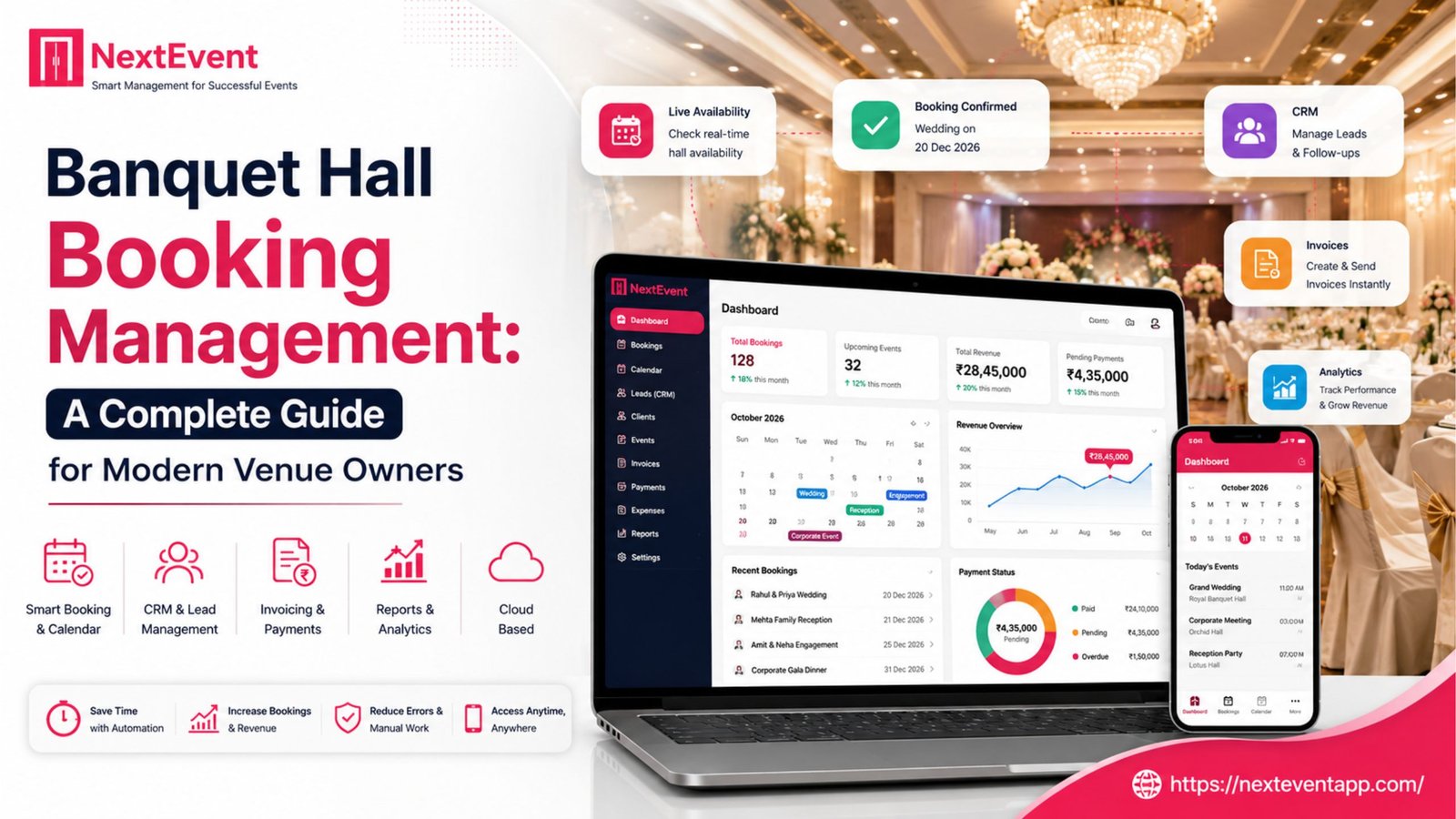
Manage your venue with less work.
For banquet halls, convention centers, wedding lawns, gardens, resorts and function halls.
Managing banquet hall bookings has become increasingly complex as customer expectations continue to evolve. Whether you’re hosting weddings, corporate events, birthday parties, receptions, or social gatherings, every booking involves multiple moving parts—from inquiries and quotations to payments, vendor coordination, and event execution. Read more here about – How to Choose the Best Banquet Hall Management Software in 2026.
Many venue owners still rely on spreadsheets, notebooks, or messaging apps to manage reservations. While these methods may work for a handful of bookings, they often lead to scheduling conflicts, missed follow-ups, delayed payments, and operational inefficiencies as the business grows.
Modern banquet hall booking management software solves these challenges by centralizing every stage of the booking journey into a single platform.
This guide explains how banquet booking management works, common challenges, best practices, and how technology can help your venue operate more efficiently.
What is Banquet Hall Booking Management?
Banquet hall booking management is the process of organizing and tracking every activity related to an event reservation.
It typically includes:
Customer inquiry management
Venue availability
Quotation creation
Booking confirmation
Advance payment collection
Contract management
Vendor coordination
Staff scheduling
Final payment tracking
Event execution
Customer feedback
Instead of managing these tasks across multiple tools, modern software combines everything into one centralized dashboard.
The Complete Booking Workflow
Step 1: Receive Customer Inquiry
Customers may contact your business through:
Website forms
Phone calls
WhatsApp
Social media
Walk-in visits
Referral partners
Every inquiry should be captured immediately to avoid losing potential business.
Step 2: Check Venue Availability
The next step is verifying whether the requested date and venue are available.
A digital booking calendar allows your team to:
View all upcoming events
Check available dates instantly
Prevent double bookings
Reserve tentative bookings
Confirm bookings with one click
Step 3: Create a Customized Quotation
Every customer has different requirements.
Your quotation may include:
Hall rental
Decoration
Catering
Photography
DJ
Lighting
Accommodation
Additional services
Instead of preparing quotations manually, software can generate professional estimates within minutes.
Step 4: Confirm the Booking
Once the customer accepts the quotation, the booking should be confirmed.
This process generally includes:
Booking confirmation
Agreement generation
Advance payment
Receipt creation
Calendar update
Automation reduces paperwork while ensuring every booking is properly documented.
Step 5: Collect Advance Payments
Advance payments secure the reservation.
A good booking system helps you:
Record advance payments
Track outstanding balances
Generate invoices
Send payment reminders
Accept multiple payment methods
Keeping payment information organized improves cash flow and reduces missed collections.
Step 6: Plan the Event
After confirmation, planning begins.
Tasks may include:
Vendor assignments
Catering arrangements
Decoration planning
Guest count updates
Equipment booking
Staff allocation
Timeline preparation
Having all event information stored in one place helps everyone stay aligned.
Step 7: Execute the Event
On the event day, staff should have access to:
Customer information
Event schedule
Vendor contacts
Payment status
Setup checklist
Special requests
This ensures smooth execution and minimizes last-minute confusion.
Step 8: Close the Booking
After the event:
Collect pending payments
Generate the final invoice
Request customer feedback
Archive booking details
Record future follow-up reminders
Maintaining customer history can help generate repeat bookings.
Common Challenges in Manual Booking Management
Many banquet businesses experience problems such as:
Double Bookings
Using paper calendars or spreadsheets increases the risk of scheduling conflicts.
Missed Customer Follow-Ups
Potential customers often choose competitors simply because they receive faster responses.
Payment Tracking Issues
Without automation, it’s easy to lose track of advances and pending balances.
Poor Team Coordination
Staff members may not have access to the latest booking information, leading to miscommunication.
Inaccurate Reports
Manual records make it difficult to understand occupancy rates, revenue, and business performance.
Benefits of Digital Booking Management
Faster Booking Process
Staff can complete bookings within minutes instead of hours.
Improved Customer Experience
Quick responses and professional communication increase customer confidence.
Better Organization
Every booking is stored in a centralized system.
Increased Revenue
Responding faster to inquiries helps convert more leads into confirmed bookings.
Reduced Human Errors
Automation minimizes mistakes in scheduling, billing, and customer communication.
Essential Features to Look For
When selecting booking management software, prioritize these features:
Online Booking Calendar
A centralized calendar with real-time availability.
Customer Relationship Management (CRM)
Track inquiries, follow-ups, and booking history.
Automated Quotations
Generate professional quotations instantly.
Payment Management
Track advances, balances, and invoices.
Reminder Notifications
Automatically remind customers about upcoming payments and events.
Multi-User Access
Allow managers, sales teams, and operations staff to collaborate.
Reports & Analytics
Monitor:
Monthly bookings
Revenue
Occupancy
Customer trends
Staff performance
Why Cloud-Based Booking Software is Better
Cloud-based systems provide several advantages over traditional desktop software:
Access from anywhere
Automatic backups
Real-time collaboration
Faster updates
Improved security
Easy scalability
Whether you’re in the office or visiting another venue, your booking information remains accessible.
Best Practices for Managing Banquet Bookings
Respond Quickly
Aim to reply to inquiries within minutes whenever possible.
Standardize Packages
Predefined packages simplify quotations and reduce decision time.
Keep Customer Records Updated
Accurate customer information supports better communication and repeat business.
Automate Routine Tasks
Use reminders, invoices, and notifications to reduce manual work.
Analyze Business Performance
Regular reporting helps identify busy seasons, popular packages, and revenue opportunities.
How Technology Improves the Customer Experience
Today’s customers expect convenience.
Modern booking software enables:
Faster responses
Transparent pricing
Digital invoices
Online payment options
Instant confirmations
Better communication
Professional service throughout the booking journey
A positive booking experience often leads to referrals and repeat customers.
Why Choose NextEvent?
Managing banquet hall bookings shouldn’t require multiple spreadsheets, notebooks, and messaging apps.
NextEvent brings everything together in one cloud-based platform, helping venue owners:
Manage inquiries
Track bookings
Create quotations
Collect payments
Coordinate events
Monitor business performance
Manage multiple venues from one dashboard
By automating repetitive tasks, your team can focus on delivering exceptional events instead of handling paperwork.
Conclusion
Effective banquet hall booking management is essential for delivering excellent customer experiences and maintaining smooth business operations. As booking volumes increase, relying on manual methods becomes inefficient and risky.
Modern booking management software streamlines every step—from inquiry and quotation to payment collection and event execution—helping venue owners save time, reduce errors, and increase profitability.
If you’re looking to simplify operations and grow your banquet business, adopting a cloud-based booking management solution like NextEvent can be a valuable investment for long-term success.
Frequently Asked Questions
What is banquet hall booking management?
It is the process of handling inquiries, reservations, payments, scheduling, and event planning for banquet halls using organized workflows or software.
Can booking software prevent double bookings?
Yes. A centralized booking calendar updates availability in real time, reducing scheduling conflicts.
Is booking management software suitable for small banquet halls?
Absolutely. Even smaller venues benefit from improved organization, faster customer service, and automated payment tracking.
Does booking software support online payments?
Most modern solutions allow businesses to record and manage digital payments while generating invoices and payment reminders.
Can multiple employees use the software simultaneously?
Yes. Cloud-based platforms typically support multi-user access with role-based permissions.