
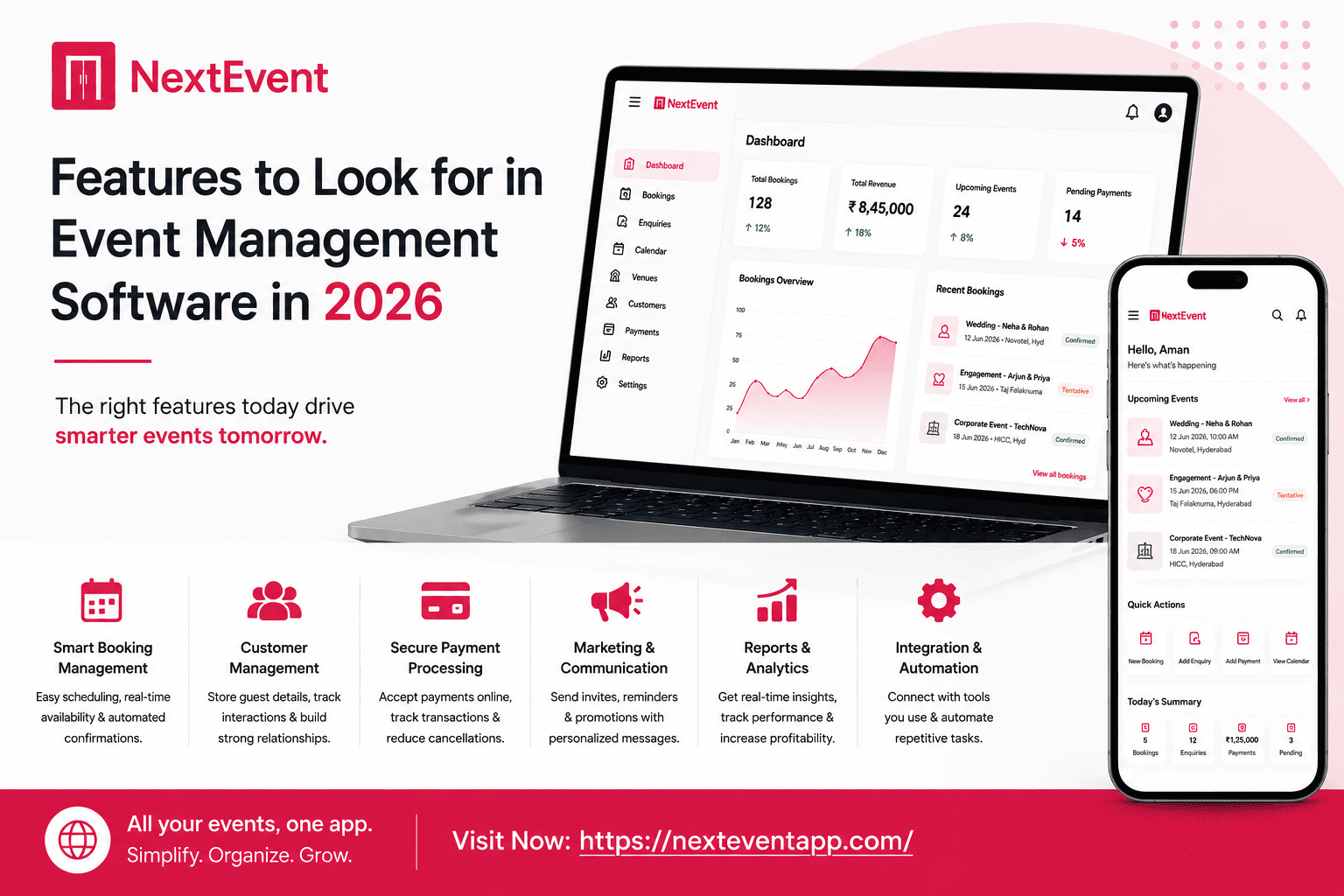
Features to Look for in Event Management Software in 2026
hehe
Manage your venue with less work.
For banquet halls, convention centers, wedding lawns, gardens, resorts and function halls.
The event industry is becoming more competitive every year. Whether you manage a banquet hall, wedding venue, convention center, resort, or corporate event space, customers now expect fast communication, online bookings, transparent pricing, and a seamless planning experience. Meeting these expectations with spreadsheets or paper records is becoming increasingly difficult.
Modern event management software has evolved far beyond simple booking calendars. Today’s platforms help businesses manage customer relationships, automate repetitive tasks, track payments, generate reports, and coordinate teams from a single dashboard. Choosing the right software can improve efficiency, reduce errors, and create a better experience for both staff and customers.
If you’re planning to invest in event management software in 2026, here are the most important features you should look for before making a decision. Read more here about –Banquet Hall Business Growth Tips for Indian Venue Owners (2026 Guide).
1. Centralized Booking Management
Booking management is the foundation of any event business. Your software should allow you to view, update, and manage every reservation from one place.
A centralized booking system helps you:
Check venue availability instantly.
Confirm reservations quickly.
Avoid scheduling conflicts.
Manage multiple event types.
Keep your team updated in real time.
This ensures smoother operations and reduces administrative workload.
2. Smart Calendar and Scheduling
A digital event calendar makes it easier to organize weddings, conferences, birthday parties, and corporate events.
Look for software that offers:
Real-time calendar updates
Multiple venue scheduling
Color-coded events
Staff assignment tracking
Reminder notifications
An organized schedule minimizes confusion and improves event planning.
3. Customer Relationship Management (CRM)
Customer information should never be scattered across emails, notebooks, or spreadsheets.
An integrated CRM should allow you to:
Store customer details
Track inquiries
Record communication history
Save booking preferences
Monitor follow-ups
A good CRM helps build stronger relationships and improves customer retention.
4. Payment and Invoice Management
Managing finances manually often leads to errors and missed payments.
Choose software that includes:
Invoice generation
Advance payment tracking
Pending payment reminders
Transaction history
Financial reports
These features simplify accounting while improving cash flow management.
5. Cloud-Based Access
Cloud technology has become essential for modern businesses.
Cloud-based software allows you to:
Access bookings from anywhere.
Manage multiple venues remotely.
Collaborate with your team.
Keep data backed up securely.
Receive automatic software updates.
This flexibility is especially valuable for businesses with multiple locations.
6. Automation Features
Automation helps reduce repetitive administrative tasks.
Useful automation features include:
Booking confirmations
Payment reminders
Customer follow-ups
Event notifications
Task assignments
Automation saves time and ensures consistency across daily operations.
7. Reporting and Analytics
Business decisions should be based on data, not guesswork.
Your software should generate reports on:
Monthly bookings
Revenue
Occupancy rates
Customer trends
Lead conversion
Event performance
These insights help identify opportunities for growth and operational improvements.
8. Multi-User Access
As your business grows, multiple employees will need access to the system.
Choose software that allows different user roles and permissions while maintaining data security.
This improves collaboration without compromising sensitive business information.
9. Mobile Compatibility
Venue managers are rarely sitting behind a desk all day.
A mobile-friendly platform allows you to:
Check bookings
Respond to inquiries
View schedules
Track payments
Manage events
from anywhere, ensuring better responsiveness and operational flexibility.
10. Easy-to-Use Interface
The best software is one your team can learn quickly.
A clean interface reduces training time, improves productivity, and minimizes mistakes during busy event seasons.
Look for intuitive navigation and straightforward workflows.
Feature Comparison Checklist
|
Feature |
Why It Matters |
|
Booking Management |
Prevents scheduling conflicts |
|
CRM |
Improves customer relationships |
|
Payment Tracking |
Better financial management |
|
Smart Calendar |
Organized event planning |
|
Cloud Access |
Work from anywhere |
|
Automation |
Saves time and reduces manual work |
|
Reporting |
Supports data-driven decisions |
|
Mobile Access |
Manage operations on the go |
|
Multi-User Support |
Better team collaboration |
|
Secure Storage |
Protects customer information |
Why NextEvent Includes These Features
NextEvent is designed specifically for banquet halls, wedding venues, convention centers, and event businesses.
The platform combines:
Booking management
Customer Relationship Management
Payment tracking
Smart scheduling
Cloud-based access
Automated workflows
Reporting tools
Multi-user collaboration
Instead of using multiple systems, businesses can manage everything from one centralized dashboard, making daily operations simpler and more efficient.
Tips for Choosing the Right Software
Before making your final decision:
List your business requirements.
Compare available features.
Request a product demonstration.
Evaluate ease of use.
Consider future scalability.
Check customer support availability.
Review pricing and long-term value.
Selecting software that aligns with your business goals will provide lasting benefits.
Final Thoughts
Investing in the right event management software is one of the smartest decisions a venue owner can make. The right platform not only improves efficiency but also enhances customer service, reduces errors, and supports long-term business growth.
Solutions like NextEvent combine all the essential features needed to manage bookings, customers, payments, schedules, and operations from one platform. As customer expectations continue to evolve in 2026, choosing feature-rich software will help your venue remain competitive and deliver exceptional event experiences.
Frequently Asked Questions
1. What are the most important event management software features?
Booking management, CRM, payment tracking, smart scheduling, automation, reporting, and cloud access are among the most essential features.
2. Why is cloud-based software important?
Cloud-based software allows venue owners to manage operations remotely while ensuring secure data storage and automatic updates.
3. Can event management software improve customer satisfaction?
Yes. Faster communication, organized bookings, automated reminders, and better customer management contribute to a superior customer experience.
4. Is event management software suitable for small venues?
Absolutely. Modern cloud-based platforms are scalable and suitable for businesses of all sizes.
5. Why should event businesses choose NextEvent?
NextEvent provides an all-in-one solution for booking management, CRM, payment tracking, scheduling, automation, and reporting, helping businesses operate more efficiently and grow confidently.