How to Prevent Double Bookings in Banquet Halls (2026 Guide)
Manage your venue with less work.
For banquet halls, convention centers, wedding lawns, gardens, resorts and function halls.
Double bookings are one of the biggest nightmares for banquet hall owners. Imagine confirming two weddings for the same venue on the same date. The result can be frustrated customers, financial losses, negative reviews, and damage to your reputation. Even a single scheduling mistake can affect years of hard work and customer trust.
As the event industry becomes more competitive, customers expect accurate booking confirmations and professional service. Relying on paper registers, spreadsheets, or verbal confirmations increases the chances of errors, especially during the busy wedding season. Read more here about – Digital Transformation for Event Venues: Everything You Need to Know (2026 Guide).
The good news is that double bookings are preventable. With the right processes and digital tools, banquet hall owners can manage reservations confidently and provide a seamless booking experience.
Why Double Bookings Happen
Before solving the problem, it’s important to understand what causes it.
Some of the most common reasons include:
Manual record-keeping
Multiple staff members updating different booking records
Delayed confirmation of reservations
Poor communication between departments
Last-minute schedule changes
Outdated calendars
Managing multiple venues without a centralized system
These issues become more common as the number of bookings increases.
Maintain a Centralized Booking Calendar
One of the most effective ways to prevent booking conflicts is by using a centralized booking calendar.
Instead of maintaining multiple registers or spreadsheets, all reservations should be recorded in one digital calendar. Whenever a booking is confirmed, availability is updated immediately, ensuring everyone on the team has access to the latest information.
A centralized calendar also makes it easier to check venue availability before confirming new inquiries.
Confirm Bookings Immediately
Delays in updating bookings often lead to scheduling conflicts.
After receiving an advance payment or signed agreement:
Record the booking immediately.
Update the event calendar.
Send a confirmation to the customer.
Notify relevant staff members.
Following the same process for every booking reduces the chance of mistakes.
Use Booking Calendar Software
Modern Booking Calendar Software automatically updates venue availability in real time.
Benefits include:
Instant booking confirmation
Automatic conflict detection
Real-time availability
Event reminders
Shared access for staff
Better scheduling accuracy
Automation removes much of the manual work involved in booking management.
Train Your Team
Even the best software cannot prevent mistakes if staff members do not follow consistent procedures.
Every employee responsible for bookings should understand:
Booking confirmation process
Payment verification
Calendar updates
Customer communication
Event scheduling procedures
Regular training helps maintain consistency across the organization.
Standardize Your Booking Process
Create a simple workflow for every reservation.
For example:
Receive inquiry.
Check venue availability.
Send quotation.
Receive advance payment.
Confirm booking.
Update booking calendar.
Send customer confirmation.
Schedule follow-up activities.
A standardized process minimizes confusion and improves efficiency.
Manage Multiple Venues from One Dashboard
Businesses operating multiple banquet halls often face additional scheduling challenges.
Using separate calendars for each location increases the likelihood of errors.
Cloud-based venue management software allows owners to manage multiple venues through one dashboard, making it easy to monitor bookings across all locations.
Track Changes in Real Time
Customers frequently request changes to:
Event dates
Guest count
Timings
Additional services
Every change should be updated immediately in the booking system so all staff members work with the latest information.
Real-time updates prevent misunderstandings and scheduling conflicts.
Conduct Regular Booking Reviews
Review your upcoming event schedule weekly or daily during peak seasons.
Check for:
Duplicate bookings
Missing customer information
Outstanding payments
Staff availability
Vendor schedules
Regular reviews help identify potential issues before they become serious problems.
Manual Booking vs Digital Scheduling
|
Manual Booking |
Digital Booking Software |
|
Paper calendars |
Cloud-based booking calendar |
|
Manual updates |
Real-time synchronization |
|
High risk of errors |
Automatic conflict detection |
|
Limited reporting |
Detailed booking reports |
|
Difficult collaboration |
Multi-user access |
Digital scheduling significantly reduces the risk of human error while improving overall efficiency.
How NextEvent Helps Prevent Double Bookings
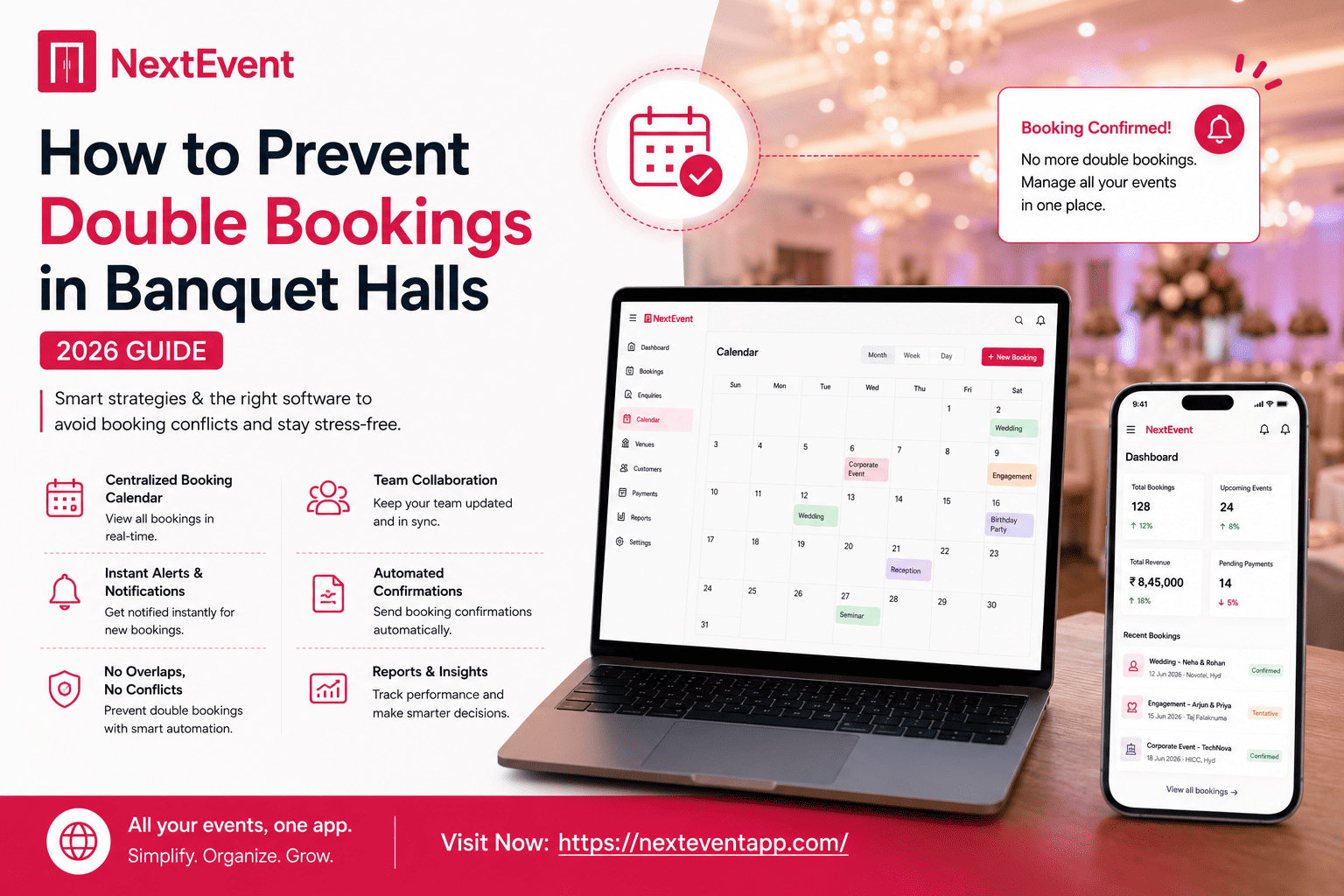
NextEvent is designed specifically for banquet halls, wedding venues, resorts, and event businesses. Its centralized booking system ensures that every confirmed reservation is recorded instantly, making scheduling more accurate and transparent.
Venue owners can:
View real-time availability
Manage bookings from one dashboard
Track customer information
Coordinate event schedules
Monitor payments
Access booking history
By replacing manual processes with automated workflows, NextEvent helps businesses reduce booking conflicts while improving operational efficiency.
Best Practices for Error-Free Booking Management
To minimize booking mistakes:
Use cloud-based booking software.
Update bookings immediately.
Train staff regularly.
Maintain one centralized calendar.
Confirm every reservation in writing.
Review schedules frequently.
Track customer payments carefully.
Keep customer records organized.
Following these practices creates a more reliable booking system and improves customer confidence.
Final Thoughts
Double bookings can damage both your reputation and your revenue, but they are entirely preventable with the right systems in place. By replacing manual scheduling with digital booking management, venue owners can improve accuracy, enhance customer service, and reduce operational stress.
A dedicated platform like NextEvent simplifies reservation management by providing a centralized system for bookings, customer records, payments, and scheduling. As your business grows, investing in modern booking software becomes one of the smartest ways to protect your reputation and deliver exceptional event experiences.
Frequently Asked Questions
1. What causes double bookings in banquet halls?
Double bookings usually occur because of manual scheduling, poor communication, outdated calendars, or delayed booking updates.
2. How can booking calendar software prevent scheduling conflicts?
It updates venue availability in real time and automatically blocks confirmed dates, reducing the risk of overlapping reservations.
3. Should small banquet halls use digital booking systems?
Yes. Even small venues benefit from improved organization, faster booking management, and fewer scheduling errors.
4. How often should booking calendars be reviewed?
Daily during peak seasons and at least weekly during normal operations to identify any scheduling issues early.
5. Why is NextEvent a good solution for banquet halls?
NextEvent centralizes bookings, customer records, payments, and event scheduling into one platform, helping venue owners prevent double bookings and manage operations more efficiently.