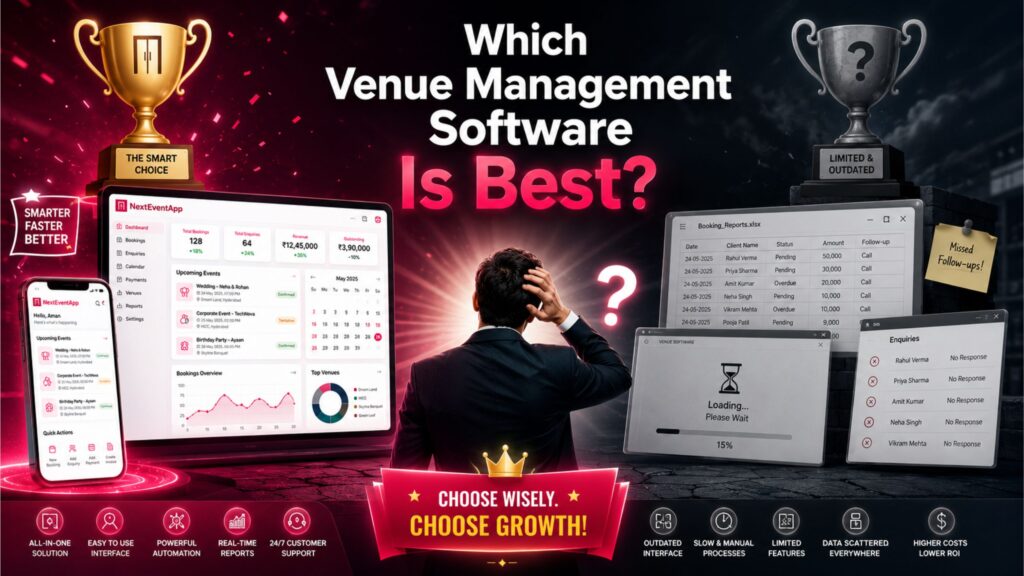
Managing a banquet hall, wedding venue, resort, convention center, or event space involves much more than keeping track of bookings. Modern venue businesses need software that can manage customer inquiries, automate follow-ups, track payments, generate invoices, coordinate staff, and provide valuable business insights.
With so many venue management solutions available in 2026, choosing the right one can feel overwhelming. The “best” software isn’t necessarily the one with the most features—it’s the one that fits your business processes, scales with your growth, and helps your team work more efficiently.
What Is Venue Management Software?
Venue management software is a digital platform that helps venue owners manage every aspect of their business from a single dashboard. Read more here about – NextEventApp vs Top Venue Software: Which One Is Right for Your Business?.
Instead of relying on spreadsheets, paper records, or multiple disconnected applications, venue management software centralizes daily operations such as:
Booking management
Customer Relationship Management (CRM)
Payment tracking
Invoice generation
Staff scheduling
Event planning
Reporting and analytics
Customer communication
By automating repetitive tasks, businesses can reduce errors, save time, and improve customer satisfaction.
Features Every Great Venue Management Software Should Have
1. Booking Management
The software should allow you to:
Check venue availability instantly
Manage bookings and cancellations
Schedule events
Track booking history
Prevent double bookings
A centralized booking calendar improves efficiency and reduces scheduling conflicts.
2. Customer Relationship Management (CRM)
An integrated CRM helps convert inquiries into confirmed bookings.
Important CRM features include:
Lead management
Inquiry tracking
Customer profiles
Follow-up reminders
Communication history
A good CRM ensures every potential customer receives timely responses.
3. Billing and Payment Tracking
Managing finances is a critical part of running a venue.
Look for software that supports:
Invoice generation
Advance payment tracking
Outstanding balance monitoring
Payment reminders
Financial reports
These tools improve cash flow management and reduce missed payments.
4. Cloud-Based Accessibility
Cloud-based software allows you to access your business anytime, anywhere.
Benefits include:
Real-time updates
Multi-device access
Automatic synchronization
Remote management
Easy collaboration
This flexibility is especially useful for owners managing multiple venues or traveling frequently.
5. Automation
Automation saves time by handling repetitive administrative tasks.
Useful automation features include:
Booking confirmations
Follow-up reminders
Payment notifications
Event reminders
Staff alerts
Automated workflows help improve efficiency while reducing manual effort.
6. Reports and Analytics
Business reports help you make informed decisions.
Look for software that provides:
Revenue reports
Booking trends
Lead conversion rates
Payment collection reports
Staff performance
Occupancy analysis
Data-driven insights help identify opportunities to increase revenue and improve operations.
7. Security and Data Backup
Your software should protect important business information.
Essential security features include:
Data encryption
Automatic cloud backups
User permissions
Secure login
Reliable hosting infrastructure
Protecting customer data helps ensure business continuity and builds trust.
Why Many Venue Owners Choose NextEventApp
When comparing venue management platforms, many businesses look for a solution that combines multiple tools into one easy-to-use system.
NextEventApp Includes
Complete booking management
Built-in CRM
Payment and invoice tracking
Cloud-based access
Automated follow-ups
Multi-user support
Staff management
Business reporting
Secure cloud backup
Mobile-friendly access
By centralizing operations, NextEventApp helps venue owners reduce manual work and improve team productivity.
How to Choose the Best Venue Management Software
Consider These Factors
Before selecting software, ask yourself:
Is it easy for my staff to use?
Does it support my current workflow?
Can it grow with my business?
Does it include CRM and automation?
Is customer support responsive?
Can I access it remotely?
Does it fit my budget?
Does it offer secure data storage?
Choosing software based on your long-term business goals can help avoid costly migrations in the future.
Comparison Checklist
Feature | Ideal Venue Management Software |
Booking Management | ✅ |
CRM | ✅ |
Cloud-Based Access | ✅ |
Payment Tracking | ✅ |
Invoice Generation | ✅ |
Automation | ✅ |
Reports & Analytics | ✅ |
Multi-User Support | ✅ |
Mobile Access | ✅ |
Automatic Backup | ✅ |
Use this checklist when comparing different software providers to ensure you select a platform that meets your operational needs.
Conclusion
There is no universal answer to which venue management software is “best” because every business has unique requirements. However, the best solution should help you manage bookings, customers, payments, staff, and reporting from one centralized platform while supporting your business as it grows.
If you’re looking for a modern, cloud-based solution that combines CRM, booking management, automation, payment tracking, reporting, and secure data storage, NextEventApp is one option worth evaluating. Request a demo, compare features with other providers, and choose the software that best aligns with your venue’s goals and daily operations.
Frequently Asked Questions (FAQs)
1. What is the best venue management software in 2026?
The best software depends on your business needs. Look for a platform that offers booking management, CRM, payment tracking, automation, reporting, cloud access, and strong customer support.
2. Why is cloud-based venue management software important?
Cloud-based software allows you to access your data from anywhere, provides real-time updates, enables team collaboration, and offers automatic backups for better security.
3. Does NextEventApp include CRM features?
Yes. NextEventApp includes built-in CRM functionality for managing leads, customer inquiries, follow-ups, and booking conversions.
4. Can venue management software help increase bookings?
Yes. Features like online inquiry management, automated follow-ups, CRM, and faster booking workflows can help improve conversion rates and customer satisfaction.
5. What should I consider before choosing venue management software?
Consider ease of use, scalability, booking management, CRM, automation, reporting, pricing, customer support, security, cloud accessibility, and how well the software fits your business workflow.