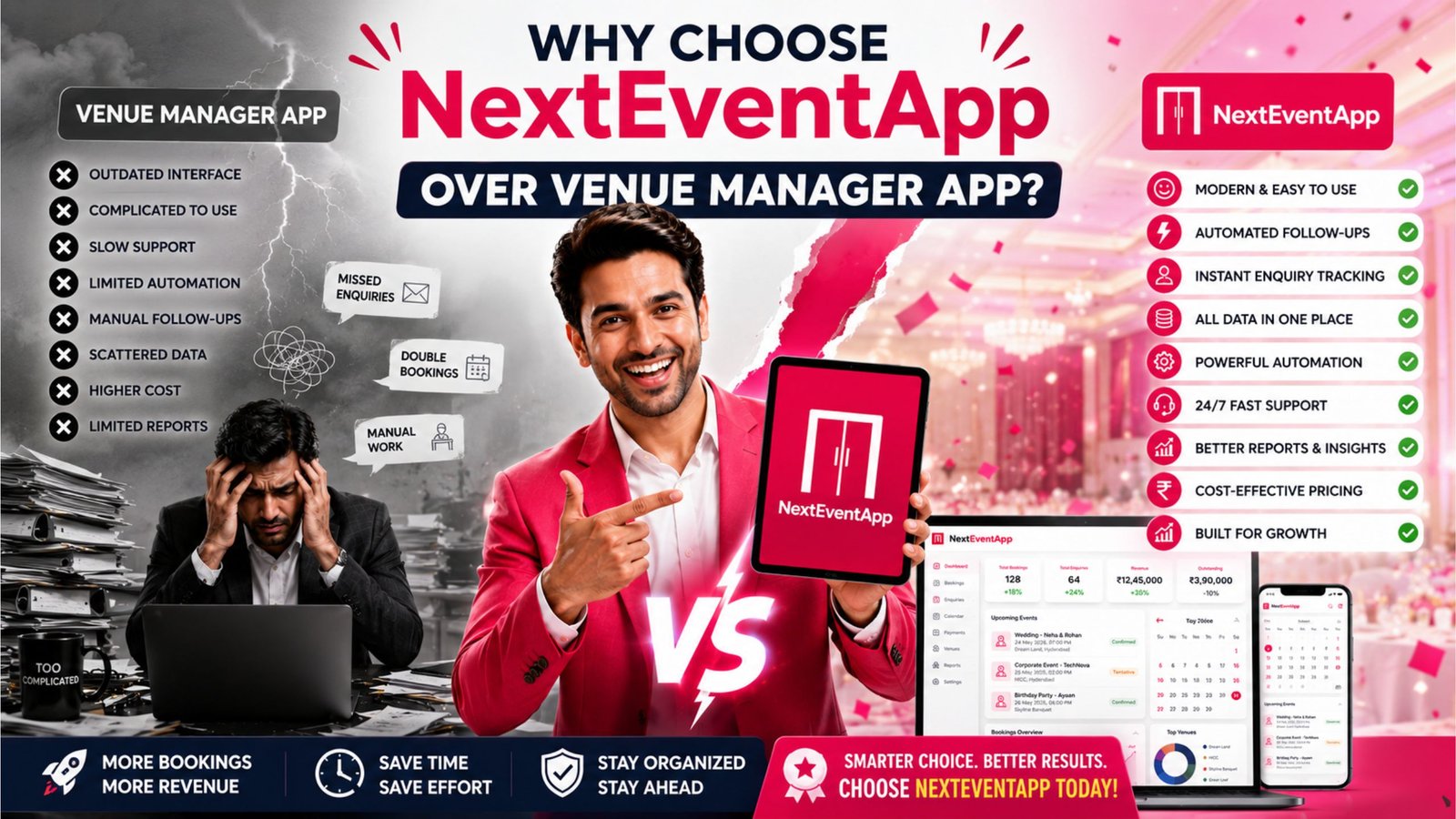
Why Choose NextEventApp Over Venue Manager App?
Manage your venue with less work.
For banquet halls, convention centers, wedding lawns, gardens, resorts and function halls.
Choosing the right venue management software can significantly improve the efficiency of your banquet hall, wedding venue, resort, or event business. From handling inquiries and bookings to tracking payments and managing staff, the right platform helps streamline daily operations and enhance customer satisfaction.
If you’re comparing Venue Manager App with NextEventApp, it’s important to evaluate the features that matter most to your business. While both solutions aim to simplify venue management, NextEventApp is designed as a cloud-based, all-in-one platform that combines CRM, booking management, automation, payment tracking, reporting, and multi-user access in a single dashboard.
1. Centralized Venue Management Dashboard
Managing multiple tools or spreadsheets can slow down operations.
With NextEventApp, you can manage:
Venue bookings
Customer inquiries
CRM
Payments
Staff
Reports
Event schedules
Everything is organized in one centralized dashboard, making it easier to monitor your business.
2. Built-In CRM for Better Customer Relationships
Every inquiry is a potential booking. A built-in CRM helps you manage customer interactions from the first inquiry through event completion.
CRM Features Include
Lead management
Inquiry tracking
Follow-up reminders
Customer history
Notes and communication logs
Booking conversion tracking
These tools help your team stay organized and improve response times.
3. Cloud-Based Access from Anywhere
Venue owners and managers often need to check bookings or payments while away from the office.
NextEventApp provides secure cloud access, allowing you to:
View bookings in real time
Track payments
Monitor staff activities
Access reports
Manage multiple venues
Your data stays synchronized across supported devices.
4. Faster Booking Management
Speed matters when responding to customer inquiries.
NextEventApp helps your team:
Check date availability instantly
Create bookings quickly
Generate quotations
Confirm reservations
Record advance payments
A streamlined booking process can improve the customer experience and reduce administrative work.
5. Smart Payment Tracking
Keeping payments organized is essential for healthy cash flow.
Payment Management Features
Advance payment tracking
Outstanding balance monitoring
Invoice management
Payment reminders
Collection reports
These features make it easier to monitor your venue’s financial activity.
6. Automation Saves Time
Routine administrative tasks can consume valuable staff time.
NextEventApp automates tasks such as:
Booking confirmations
Customer follow-ups
Payment reminders
Event notifications
Internal task reminders
Automation helps improve efficiency while reducing manual effort.
7. Multi-User and Multi-Device Support
As your venue grows, more team members need access to business information.
NextEventApp supports multiple users working simultaneously, including:
Owners
Sales executives
Reception staff
Event coordinators
Account managers
Everyone has access to real-time information based on their assigned permissions.
8. Detailed Reports and Business Insights
Understanding business performance helps support better decision-making.
Available Reports
Booking reports
Revenue summaries
Payment collections
Lead conversion reports
Staff performance
Monthly business trends
These insights help identify opportunities to improve operations.
9. Secure Data and Automatic Backup
Venue businesses rely on accurate booking and customer information.
NextEventApp helps protect your data with:
Cloud storage
Automatic backups
Data encryption
Secure user access
Reliable infrastructure
This reduces the risk of losing important business records.
10. Built for Future Growth
Technology and customer expectations continue to evolve.
NextEventApp is designed to support long-term business growth with:
Future-Ready Features
Cloud infrastructure
Mobile accessibility
Regular software updates
CRM integration
Automation tools
Business analytics
These capabilities help venues adapt as their business grows.
NextEventApp vs Venue Manager App at a Glance
Feature | NextEventApp | Venue Manager App* |
Cloud-Based Access | ✅ | Depends on plan and features |
Booking Management | ✅ | Varies |
CRM | ✅ | Varies |
Payment Tracking | ✅ | Varies |
Automated Follow-Ups | ✅ | Varies |
Business Reports | ✅ | Varies |
Multi-User Access | ✅ | Varies |
Automatic Backup | ✅ | Varies |
*Feature availability may differ depending on the version or plan of the Venue Manager App. Always verify the latest specifications with the software provider.
Conclusion
Selecting the right venue management software depends on your business size, operational requirements, and future goals. While different platforms offer different capabilities, many venue owners prioritize an integrated solution that combines booking management, CRM, automation, payment tracking, reporting, and secure cloud access. Read more here about – Best Banqetly Alternatives in 2026.
If these features are important for your business, NextEventApp is a platform worth evaluating through a product demo or trial to determine whether it fits your workflow.
Frequently Asked Questions (FAQs)
1. Why compare NextEventApp and Venue Manager App?
Comparing software helps venue owners evaluate features, usability, pricing, support, and scalability before making a business decision.
2. Does NextEventApp include a CRM?
Yes. NextEventApp includes CRM features for managing inquiries, customer history, follow-ups, and booking conversions.
3. Is NextEventApp suitable for multiple venues?
Yes. It supports managing single or multiple venues from one centralized cloud-based dashboard.
4. Can I access NextEventApp on my phone?
Yes. Because it is cloud-based, NextEventApp can be accessed securely from smartphones, tablets, laptops, and desktop computers with an internet connection.
5. What should I consider when choosing venue management software?
Look for features such as booking management, CRM, payment tracking, automation, cloud accessibility, reporting, security, scalability, ease of use, and customer support to ensure the software meets your business needs.