Every venue business handles valuable information every day. Customer contact details, booking records, invoices, payment information, event schedules, and internal business documents all play a critical role in daily operations. Losing this information—or allowing unauthorized access—can disrupt business and damage customer trust. Read more here about – How Regular Software Updates Keep Venue Businesses Ahead.
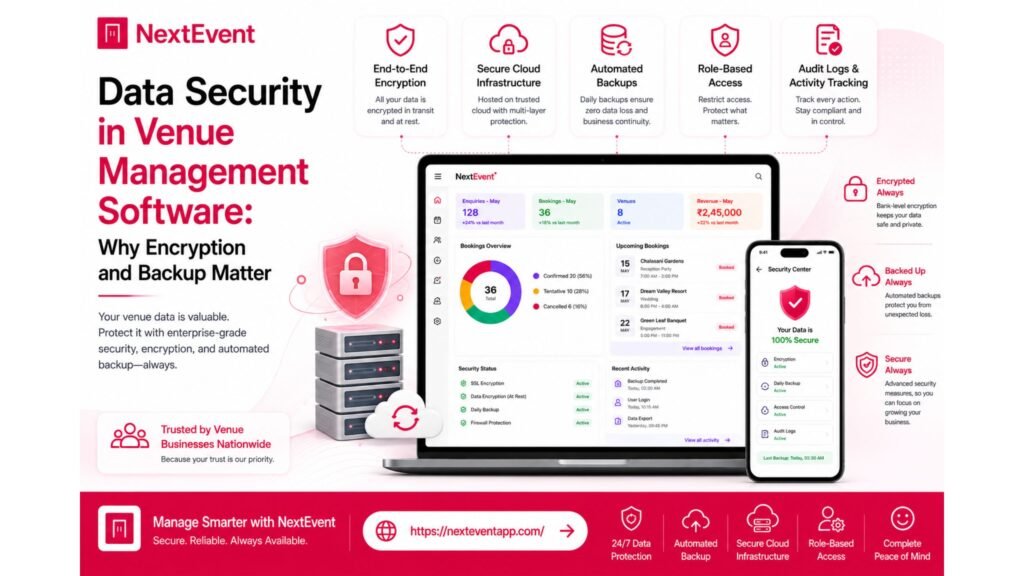
Modern Venue Management Software helps businesses organize and protect this information through security features such as encryption, role-based access, secure authentication, and cloud backups. While booking management often receives the most attention, security is just as important when selecting a software platform.
Comparison Table
Basic Security Practices | Modern Security Features |
Manual file storage | Encrypted cloud storage |
Local-only backups | Cloud backup options |
Shared passwords | Individual user accounts |
Limited access control | Role-based permissions |
Manual recovery | Backup and restore capabilities |
Higher risk of data loss | Improved business continuity |
Note: Security features vary between software providers and subscription plans.
Why Data Security Is Essential
Protecting Business Information
Venue businesses collect and manage a large amount of operational data.
Common Information Stored
Customer contact details
Booking schedules
Payment records
Event information
Staff notes
Business reports
Keeping this information secure helps maintain customer confidence and supports smooth business operations.
Understanding Encryption
What Is Encryption?
Encryption converts information into a protected format that helps prevent unauthorized access.
Benefits of Encryption
Better data protection
Reduced security risks
Safer online communication
Increased customer confidence
Protection for sensitive information
Stronger security practices
Businesses should understand how software providers use encryption to protect stored and transmitted data.
Cloud Backup and Recovery
Why Backups Matter
Unexpected events such as hardware failures, accidental deletion, or technical issues can result in lost information.
Typical Backup Content
Customer database
Booking records
Reports
Financial information
Documents
Historical business data
Cloud backups can help businesses restore important information if data becomes unavailable. Backup frequency and recovery options vary by provider.
Role-Based User Access
Controlling Information Access
Not every employee needs access to every part of the system.
Access Management
Administrator roles
Sales permissions
Finance access
Event coordinator permissions
Department-specific access
Secure collaboration
Role-based permissions help reduce unnecessary access while supporting teamwork.
Secure Login Practices
Protecting User Accounts
Strong authentication reduces the risk of unauthorized access.
Common Security Measures
Individual user accounts
Password protection
Multi-factor authentication (where supported)
Session management
Login monitoring
Account recovery options
Businesses should review the authentication options offered by each software provider.
Business Continuity
Preparing for Unexpected Situations
Security is not only about preventing problems but also about recovering from them.
Important Considerations
Backup availability
Data recovery process
System reliability
Disaster recovery planning
Operational continuity
Reduced downtime
A good recovery plan can help businesses continue operating with minimal disruption.
Benefits of Strong Security
Operational Advantages
Key Benefits
Better customer trust
Reduced operational risk
Improved compliance
Greater confidence
Long-term reliability
Additional advantages include:
Safer customer information
Better team accountability
Improved system reliability
Easier data management
Support for business continuity
Better operational resilience
Pros and Considerations
Advantages
Modern Security Features
Encryption
Cloud backups
Role-based permissions
Considerations
Security features differ between software providers.
Backup frequency and retention policies vary.
Businesses should understand how vendors manage data protection and recovery.
Who Should Prioritize Data Security?
Strong security practices are important for:
Banquet halls
Wedding venues
Hotels
Resorts
Event planners
Convention centers
Community halls
Multi-location venue businesses
Conclusion
Data security is a critical part of choosing the right Venue Management Software. Features such as encryption, cloud backup, role-based access, and secure authentication help protect valuable business and customer information while supporting operational continuity.
Before selecting a software platform, review the provider’s security approach, backup processes, and user access controls. A secure and reliable system can help your business protect sensitive information and maintain customer trust over the long term.
Frequently Asked Questions
1. Why is data security important in Venue Management Software?
It helps protect customer information, booking records, financial data, and business operations from unauthorized access or accidental loss.
2. What is encryption?
Encryption is a security method that converts data into a protected format, making it more difficult for unauthorized users to access.
3. Why are cloud backups important?
Cloud backups help businesses recover important information after hardware failures, accidental deletion, or other unexpected events.
4. What are role-based permissions?
Role-based permissions allow businesses to control what information different employees can access based on their responsibilities.
5. What security features should I compare before purchasing software?
Look for encryption, backup options, user authentication, role-based access, activity logs, and the vendor’s approach to data protection and recovery.