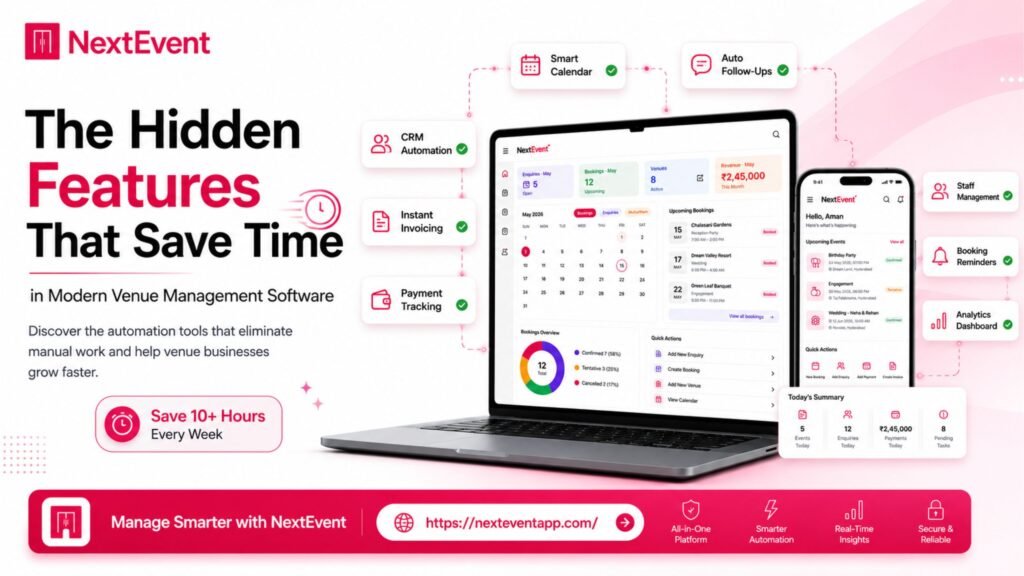
Running a banquet hall, wedding venue, hotel, or event business involves much more than managing bookings. Every day, venue managers handle customer enquiries, event scheduling, payments, follow-ups, staff coordination, and reporting. As businesses grow, these manual tasks become increasingly time-consuming and can lead to missed opportunities or operational errors.
Modern Venue Management Software is designed to simplify these challenges. While most businesses focus on obvious features like booking calendars or customer management, many platforms also include hidden productivity tools that significantly reduce manual work. These features often go unnoticed but can make a major difference in daily operations.
Comparison Table
Hidden Feature | Business Benefit |
Automated Follow-Ups | Reduces manual communication |
Cloud Access | Work from anywhere |
Multi-Device Support | Access on Android, iOS & Desktop |
Staff Role Management | Better team collaboration |
Real-Time Data Sync | Updated information across devices |
Cloud Backup | Prevents data loss |
Encrypted Data Storage | Improves security |
Reporting Dashboard | Faster business decisions |
Regular Software Updates | Better performance & security |
AI Automation | Smarter workflows (where available) |
Key Hidden Features
1. Automated Follow-Ups
Many businesses still send reminders manually.
Why Automation Matters
Booking reminders
Payment reminders
Customer follow-ups
Event notifications
Reduced manual work
Automated follow-ups help ensure customers receive timely communication while allowing staff to focus on higher-value tasks.
2. Multi-Platform Access
Modern businesses don’t work from a single computer anymore.
Work Anywhere
Android
iPhone & iPad
Desktop
Web Browser
Cloud Synchronization
Accessing your Venue Management Software from multiple devices keeps your team connected wherever they are.
3. Smart Staff Management
As businesses grow, multiple employees often need access to the same information.
Useful Features
Staff permissions
User roles
Department access
Activity tracking
Collaboration
A well-organized user management system improves accountability and reduces confusion.
4. Real-Time Data Synchronization
Imagine updating a booking from your phone and seeing the same change instantly on your office computer.
Benefits
Faster communication
Updated schedules
Reduced duplicate work
Better coordination
Accurate information
Real-time synchronization keeps everyone working with the latest information.
5. Cloud Backup
Business data is valuable.
Automatic Protection
Booking records
Customer database
Payment history
Reports
Business documents
Cloud backups reduce the risk of losing important information because of hardware failures or accidental deletion.
6. Advanced Security
Protecting customer information is essential.
Security Features
Data encryption
Secure login
User permissions
Access controls
Secure storage
Businesses should always review how software providers protect sensitive information.
7. Business Reports
Good reporting helps businesses make better decisions.
Useful Reports
Revenue
Monthly bookings
Customer trends
Payment summaries
Performance insights
Reports provide valuable information without requiring manual calculations.
8. Regular Software Updates
Technology evolves quickly.
Why Updates Matter
Better security
Improved performance
Bug fixes
New features
Better compatibility
Software that receives regular updates can continue meeting changing business requirements.
9. AI-Powered Productivity
Artificial Intelligence is becoming increasingly common in business software.
Potential AI Features
Smart reminders
Customer communication
Report generation
Workflow suggestions
Data analysis
The availability of AI features varies by platform, so businesses should confirm current capabilities with the software provider.
Benefits of Modern Venue Management Software
Major Advantages
Saves Time
Reduces manual work
Improves team collaboration
Supports business growth
Additional benefits include:
Better customer communication
Faster booking management
Improved reporting
Secure cloud storage
Flexible access from multiple devices
Easier staff management
Enhanced operational efficiency
Who Should Use Venue Management Software?
Modern Event Management Software is suitable for:
Banquet Halls
Wedding Venues
Hotels
Resorts
Community Halls
Convention Centers
Event Planners
Multi-location Venue Businesses
Businesses of all sizes can benefit from tools that automate repetitive tasks and improve organization.
Conclusion
Choosing the right Venue Management Software is about more than basic booking management. Hidden features such as Automated Follow-Ups, Cloud Backup, Multi-Device Access, Staff Management, Real-Time Synchronization, Reporting Dashboards, Security, and AI-powered automation can save valuable time and improve day-to-day operations. Read more here about – NextEventApp vs Other Venue Management Software: What Should Businesses Compare?.
When comparing different platforms, evaluate not only the visible features but also the tools that support long-term productivity, collaboration, and business growth.
Frequently Asked Questions
1. What are hidden features in Venue Management Software?
Hidden features include Automated Follow-Ups, Cloud Backup, Role-Based Access, Real-Time Synchronization, and advanced reporting tools that simplify daily operations.
2. Why is cloud access important?
Cloud access allows authorized users to manage bookings and business information from compatible Android, iOS, and desktop devices.
3. How do automated follow-ups save time?
They reduce repetitive manual communication by automatically sending reminders and notifications based on configured workflows.
4. Is data security important for venue management?
Yes. Features such as encryption, secure logins, user permissions, and cloud backups help protect business and customer information.
5. Can AI improve Venue Management Software?
Many software providers are introducing AI-powered capabilities that can assist with automation, reporting, and workflow optimization. Available features vary by platform.