Why Unlimited Staff and Device Access Can Improve Venue Operations
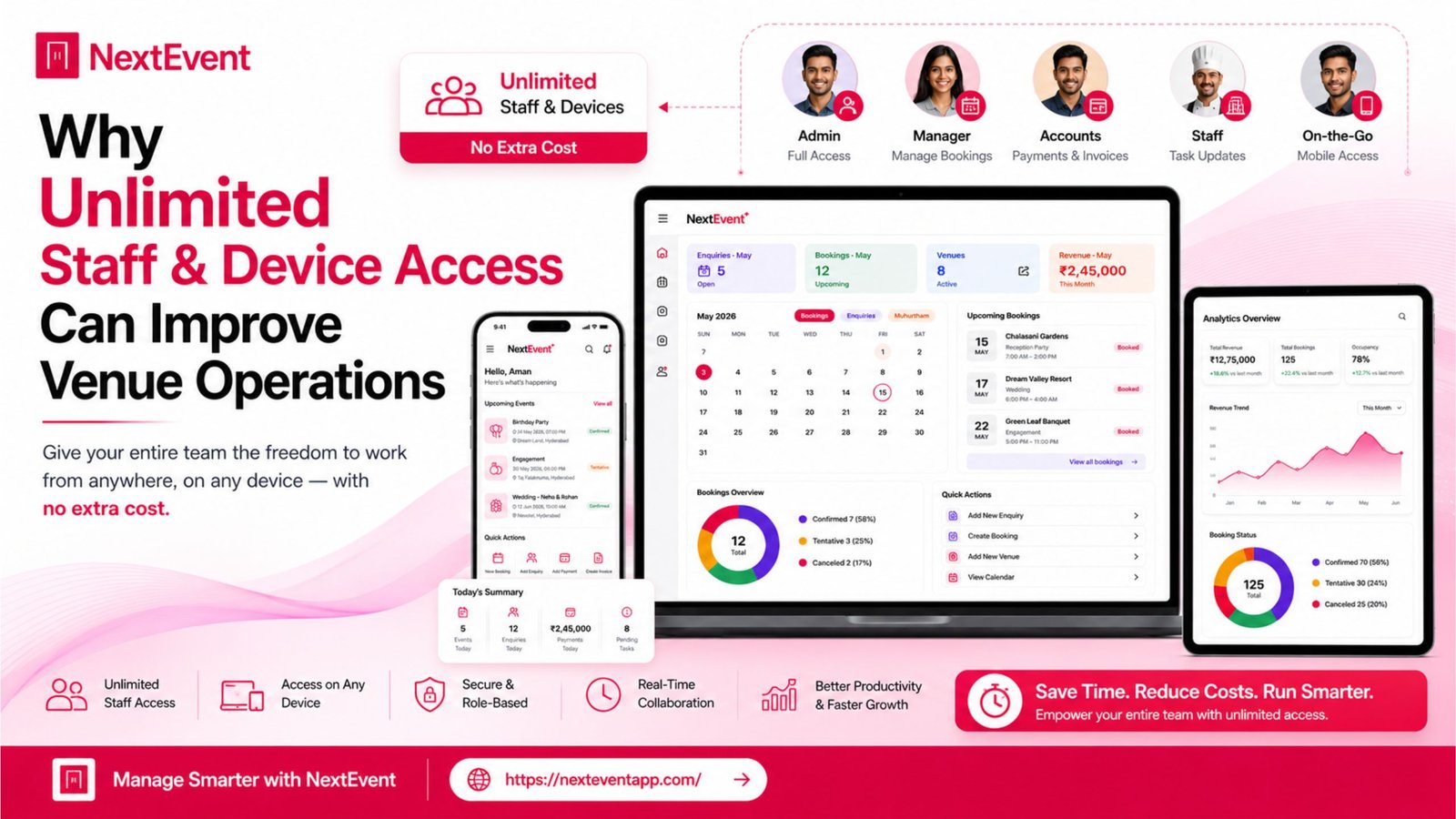
Manage your venue with less work.
For banquet halls, convention centers, wedding lawns, gardens, resorts and function halls.
Managing a successful banquet hall, wedding venue, hotel, convention center, or event business requires seamless collaboration between multiple team members. From sales executives and event coordinators to finance teams and venue managers, everyone needs access to accurate booking information to ensure smooth operations. Read more here about – The Hidden Features That Save Time in Modern Venue Management Software.
Many businesses still rely on software that limits the number of users or devices. These restrictions can create communication gaps, delays, and additional costs as teams grow. Modern Venue Management Software is increasingly designed to support collaboration by allowing authorized staff to access the platform across multiple compatible devices.
This article explains why unlimited staff access and multi-device compatibility can improve operational efficiency and what businesses should consider when choosing a venue management solution.
Comparison Table
Feature | Business Benefit |
Unlimited Staff Access | Better team collaboration |
Multi-Device Support | Work from Android, iOS, and Desktop |
Role-Based Permissions | Secure access for different teams |
Cloud Synchronization | Real-time information sharing |
Centralized Database | Single source of accurate information |
Activity Tracking | Better accountability |
Remote Access | Manage operations from anywhere |
Scalable User Management | Supports business growth |
Why Staff Access Matters
Every Department Needs Information
A venue business involves multiple teams working together every day.
Common Departments
Sales Team
Handles customer enquiries, quotations, and bookings.
Event Coordinators
Manage schedules, vendors, and event timelines.
Finance Team
Tracks invoices, payments, and financial records.
Management
Monitors reports, bookings, and overall business performance.
Business Advantage
When everyone works from the same platform, communication becomes faster and more consistent.
Best Practice
Ensure staff members only access the information relevant to their responsibilities using role-based permissions.
Benefits of Multi-Device Access
Work Without Location Restrictions
Modern businesses operate from offices, venues, and remote locations.
Compatible Devices
Android Smartphones
Update bookings while meeting clients or walking through venues.
iPhone & iPad
Access customer details and event schedules during site visits.
Desktop Computers
Manage reports, invoices, and administrative work efficiently.
Web Browser Access
Provide flexibility for teams working from different locations.
Operational Benefit
Access to the same information across multiple devices helps reduce delays and improves coordination.
Quick Tip
Choose software that keeps data synchronized across all supported devices.
Real-Time Collaboration
One Shared Database
When multiple employees access the same system, everyone works with the latest information.
Examples
Updated Booking Status
Changes are visible to authorized team members without waiting for manual updates.
Customer Notes
Important information can be shared internally to improve service.
Payment Updates
Finance teams can record payments while sales teams view the latest status.
Business Value
Real-time collaboration reduces duplicate work and improves customer communication.
Recommendation
Review how the platform manages data synchronization and user permissions before purchasing.
Scalability for Growing Businesses
Support Business Expansion
As venue businesses grow, they often add more staff, venues, and customers.
Growth Considerations
Additional Employees
New staff can be added without disrupting workflows, depending on the platform.
Multiple Venues
Centralized management may simplify operations across different locations.
Increased Bookings
Software should continue performing reliably as booking volume increases.
Long-Term Benefit
Choosing software that scales with your business can reduce the need for future migrations.
Planning Tip
Evaluate both your current needs and future growth plans before selecting a platform.
Security and User Permissions
Protect Business Information
Providing access to multiple users should not compromise data security.
Important Features
Role-Based Access
Limit access according to job responsibilities.
Secure Login
Protect user accounts with appropriate authentication measures.
Activity Logs
Track important actions within the platform.
Operational Advantage
Well-designed permission systems support collaboration while protecting sensitive information.
Best Practice
Regularly review user roles and remove access for inactive accounts.
Pros and Cons
Advantages
Improved Collaboration
Faster communication
Better productivity
Reduced manual coordination
Additional benefits include:
Flexible device access
Centralized booking management
Better customer service
Simplified staff coordination
Improved operational efficiency
Easier business expansion
Considerations
User permissions should be configured carefully.
Staff may require training when adopting new software.
Available features depend on the software provider and subscription plan.
Who Can Benefit?
Modern Venue Management Software is useful for:
Banquet Halls
Wedding Venues
Hotels
Resorts
Convention Centers
Event Management Companies
Community Halls
Businesses operating multiple venues
Conclusion
Modern venue operations depend on teamwork. Features such as unlimited staff access, multi-device compatibility, real-time synchronization, and role-based permissions can help businesses improve communication, reduce manual work, and support future growth.
When comparing Venue Management Software, evaluate not only booking features but also how effectively the platform supports collaboration across your team. A solution that enables secure access from multiple devices can improve operational efficiency and help your business adapt as it grows.
Frequently Asked Questions
1. Why is unlimited staff access important in Venue Management Software?
It allows authorized team members to collaborate more effectively without relying on shared accounts or manual information sharing.
2. What devices should modern Venue Management Software support?
Many businesses look for compatibility with Android, iOS, desktop computers, and web browsers to support flexible working.
3. How does multi-device access improve venue operations?
It enables teams to access updated booking and customer information from different locations using supported devices.
4. Are role-based permissions necessary?
Yes. They help ensure users only access the information relevant to their responsibilities, improving both security and organization.
5. Can unlimited staff access support business growth?
As businesses expand, adding new team members without disrupting workflows can improve collaboration and operational efficiency, depending on the software’s capabilities.